
The ng-click directive in AngularJS
The AngularJS ng-click directive enables us to add customized behavior as an element is clicked. For example, you may use the ngClick to show and hide the content of specified elements like a paragraph, a form etc. as a button or link is clicked.
For example, you may use the ngClick to show and hide the content of specified elements like a paragraph, a form etc. as a button or link is clicked.
Syntax of using ng-click directive
This is how you may use the ng-click directive:
<button

ng-click="expression">

...

</button>
There, the button is an element that can be replaced by any other HTML element like a link, span, paragraph, div etc. where you want to perform certain custom behavior as that element is clicked.
See the examples in the following section for learning more about the angular ngClick directive.
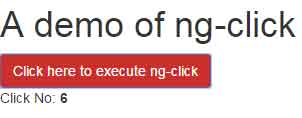
In this example, the ng-click directive is executed on the click event of the button. Every time you click the button, the number of times button is clicked is shown below:
See online demo and code
The Code:
<h1>A demo of ng-click</h1>

<button class="btn btn-danger" ng-click="clicked = clicked + 1" ng-init="clicked=0">Click here to execute ng-click</button>

<div>Click No: <b>{{clicked}}</b></div>
You can see, the ng-click directive is placed inside the button element where a value is incremented for each click. By using the ng-init directive, the clicked value is set initially as 0.
A demo of ng-click in AngularJS with a link
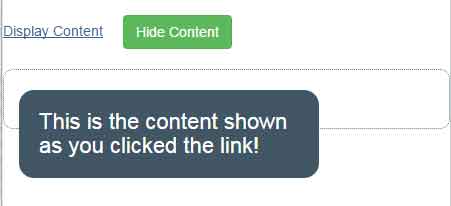
Following is a more visual example of using the ng-click attribute. In this demo, it is used in a link element along with ng-show and ng-hide directives. As you click the link “Click the link to display content” the h2 heading will display. Upon clicking the adjacent button, “Hide Content”, the content will disappear:
See online demo and code
The Code:
<div ng-app="">

  <p class="title">A demo of ng-click in link</p>

  <a href="#" class="linkcls" ng-click="displaycontent=true">Display Content</a>

  <button class="btn btn-success" ng-click="displaycontent=false">Hide Content</button>


  <div class="container">

    <p  ng-hide="displaycontent">Click the link to display content!</p>

    <h2 class="show-ele" ng-show="displaycontent">This is the content shown as you clicked the link!</h2>

  </div>


</div>
On the click event of the link, the ng-click executes and makes the displaycontent true. It will display the content in the h2 element which is mapped with the ng-show directive.